1. Why Vector PDF Export Matters for ATS Parsing
When you submit a resume to an Applicant Tracking System (ATS), the parser extracts raw text streams, reading order, and section headings from your PDF. Many browser-based resume makers simply take a canvas screenshot and wrap it inside a PDF container, turning your entire career history into an unreadable bitmap image.
Toolbly CV & Resume Builder generates clean vector PDFs directly in browser memory using embedded TrueType fonts (Inter, Plus Jakarta Sans, Merriweather, Urbanist, and JetBrains Mono) and native print-ready geometry. Every heading, date range, bullet point, and email link remains crisp at any zoom level and fully extractable by automated parsers.
2. Nine Templates Across ATS and Creative Workflows
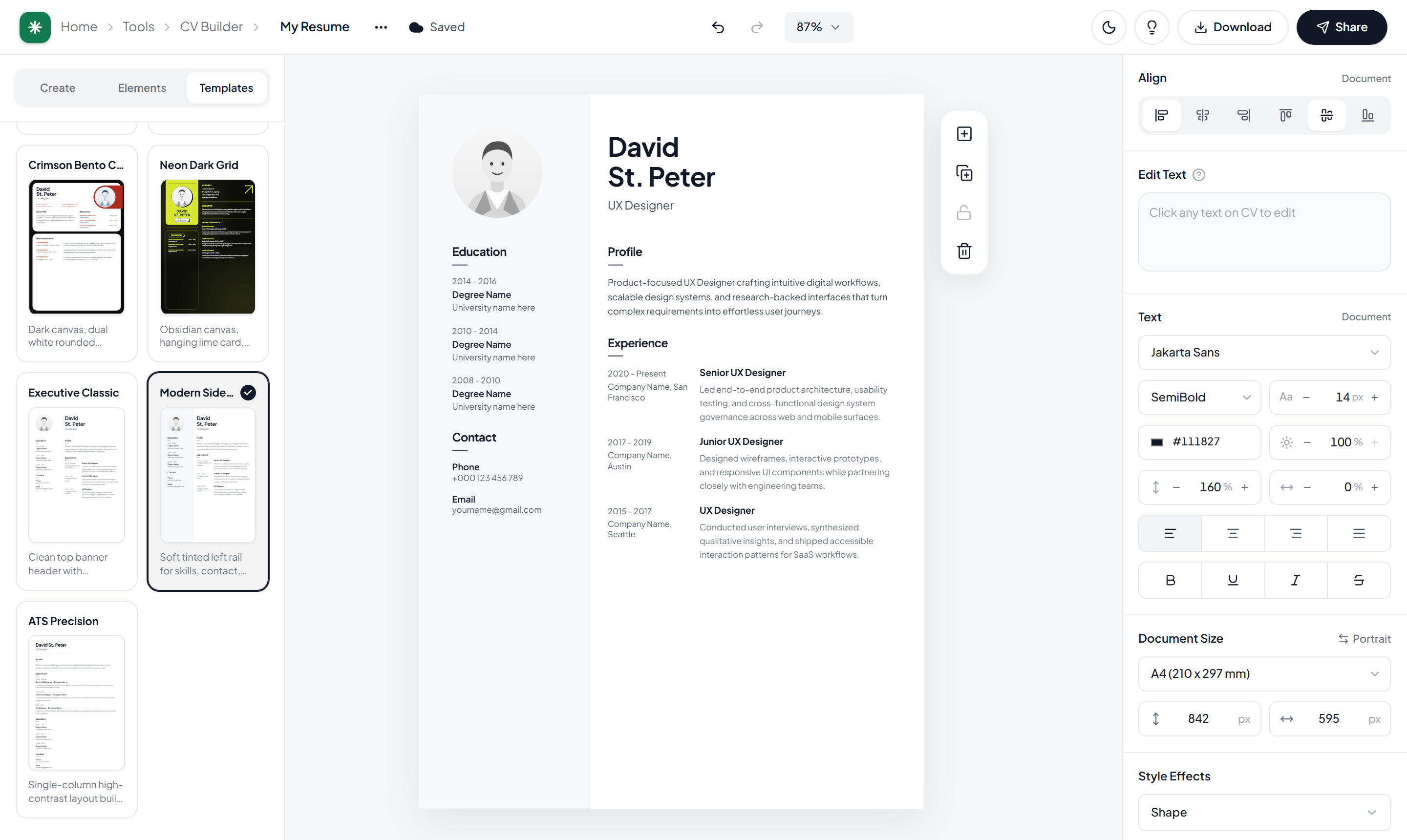
Different roles call for different visual structures. Engineering, finance, and corporate applications benefit from single-column ATS Precision or Executive Classic layouts, while design, product, and creative roles can use Modern Sidebar, Navy Ribbon Timeline, Contrast Polaroid, Plum Pop Editorial, Crimson Bento Cards, or Neon Dark Grid.
You can switch templates at any point without re-typing your content. The studio preserves your personal details, employment history, education, skills, and links while adapting the layout automatically.
3. Client-Side Studio vs. Cloud Resume SaaS
Understanding the difference between in-browser execution and subscription resume platforms highlights why local processing is safer and faster:
Toolbly In-Browser Studio
Runs locally in browser RAM with 9 free templates, custom element positioning, vector PDF export, zero watermarks, and zero server uploads.
Cloud Resume Platforms
Require account sign-up, store sensitive PII on remote servers, and often gate PDF downloads behind recurring subscriptions.
Pro tip: Use the A4 (210 x 297 mm) preset for international applications and switch to US Letter (8.5 x 11 in) in the Document Size inspector when applying in North America.
4. Full-Window Three-Pane Editing Precision
The dedicated editor at /tools/cv-builder/editor provides a distraction-free three-pane workspace: structured section forms and template switching on the left, an interactive A4/Letter canvas with multi-select dragging, snap guides, and undo/redo in the center, and typography, alignment, and style controls on the right.